Multipass Redemption Guide
Online multipass redemption is back in Te Whanganui-a-Tara. Ahead of our online pre-sale, we've made a quick guide to help walk you through the process.
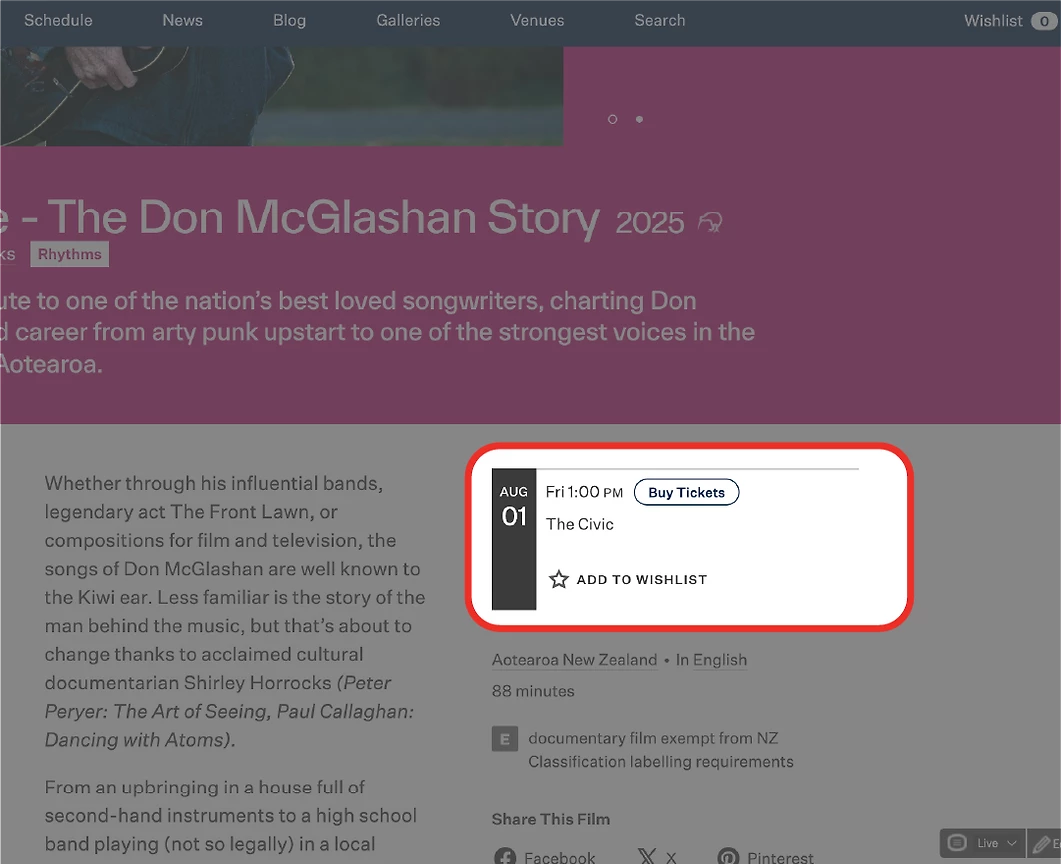
Step 1: Select your film and session time.
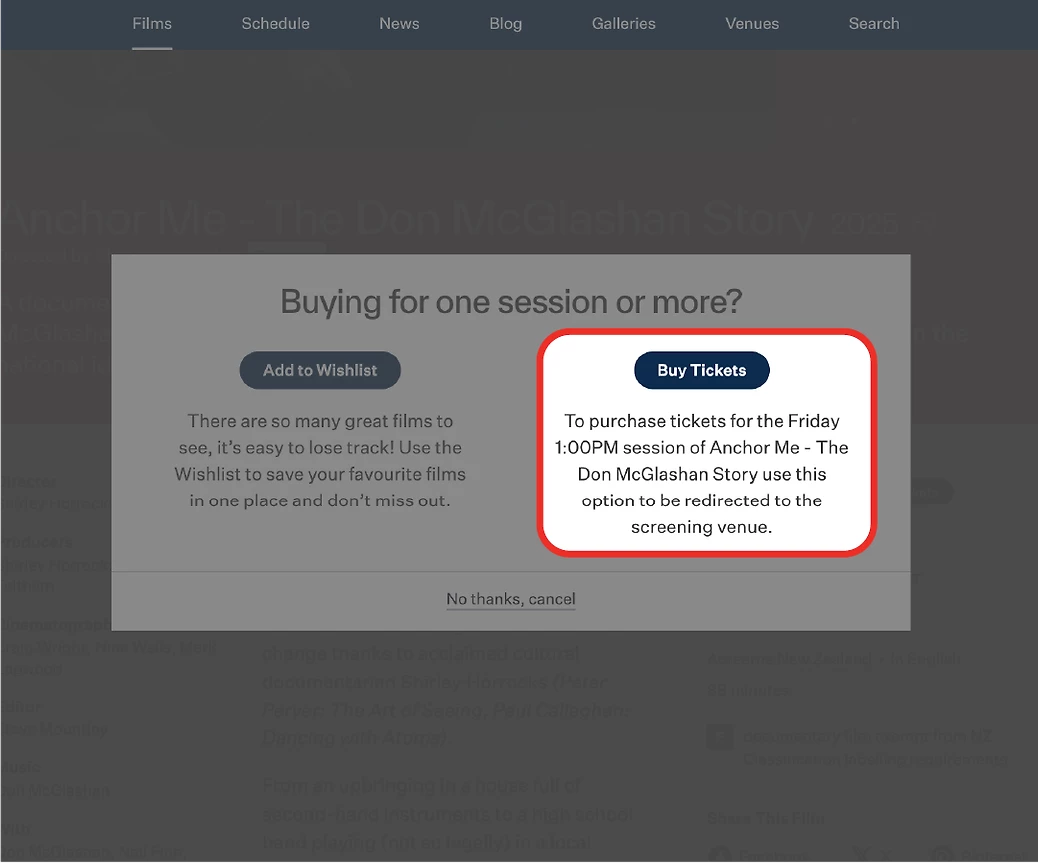
Step 2: Click 'Buy Tickets' to buy for your selected film.

Step 3: Select your film within the ticket vendor website.
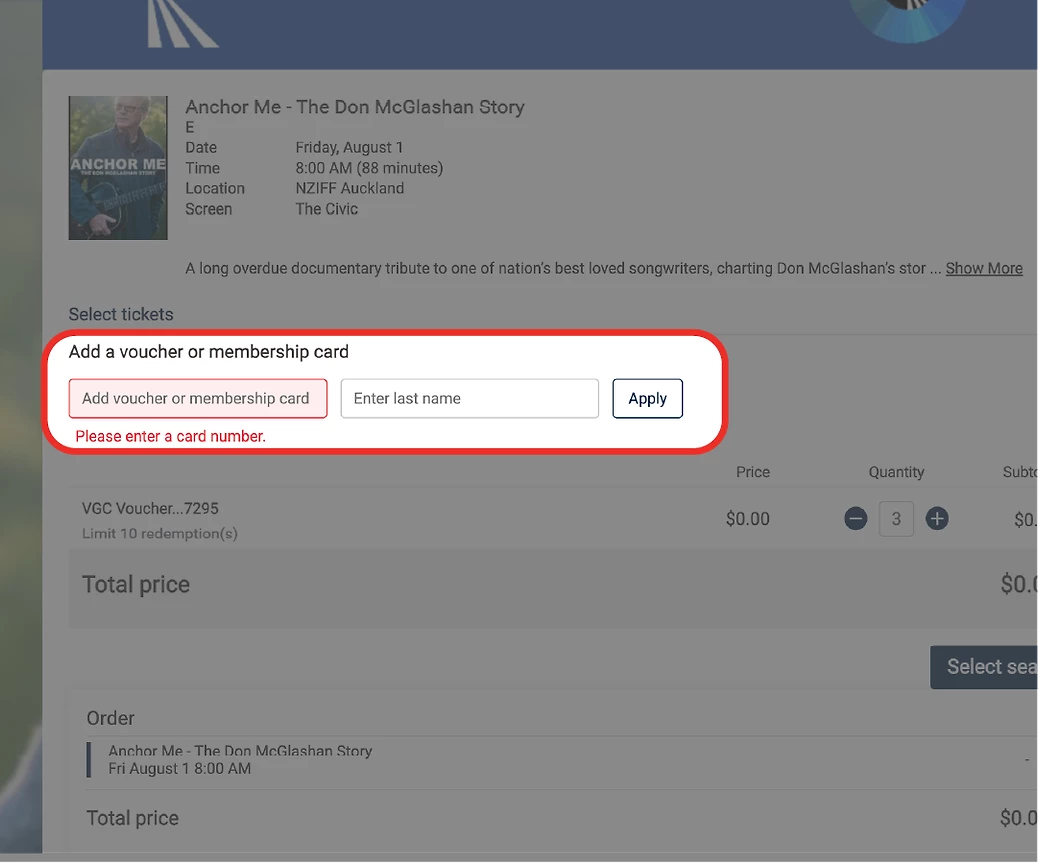
Step 4: Here you can enter your voucher code and pin number.
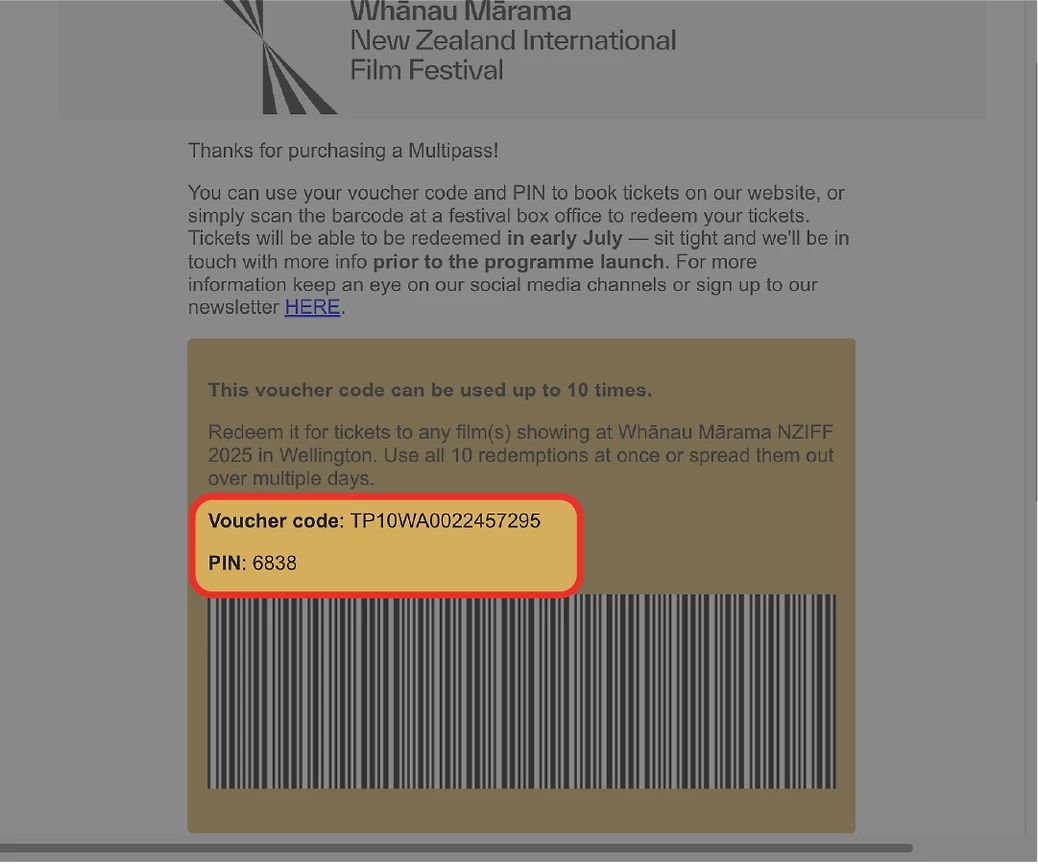
Step 5: These can be found on your Multipass purchase email.
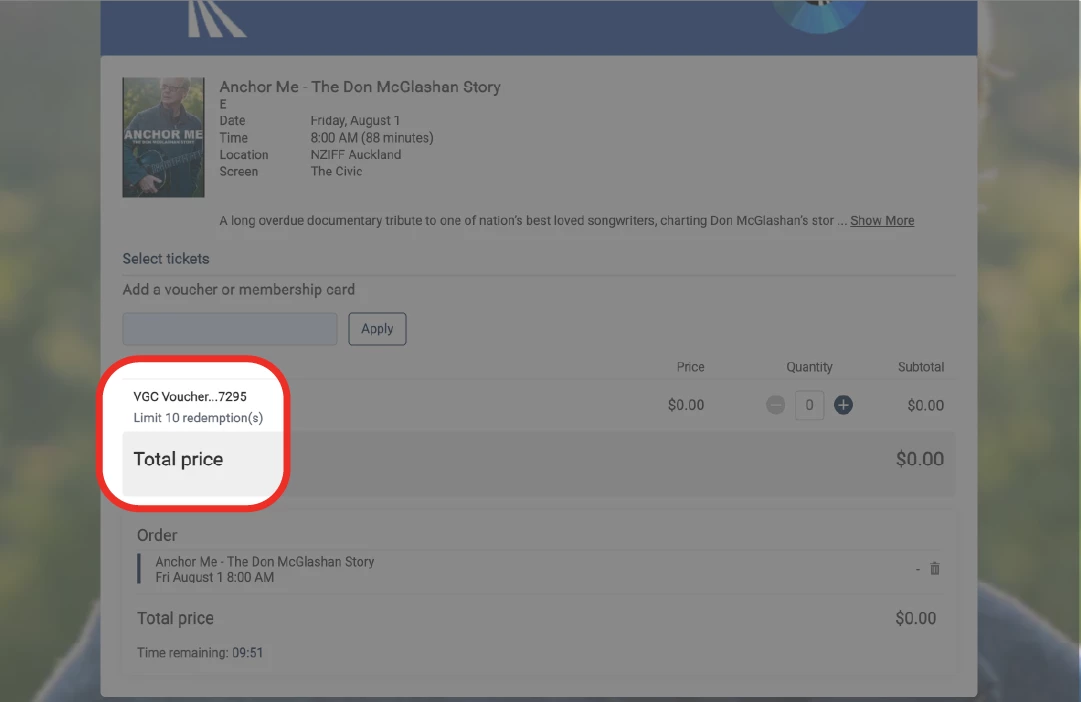
Step 6: Once your code has been entered, you will see how many redemptions you have left on your Multipass.
Here you can redeem as many as you like, or save them for other sessions.
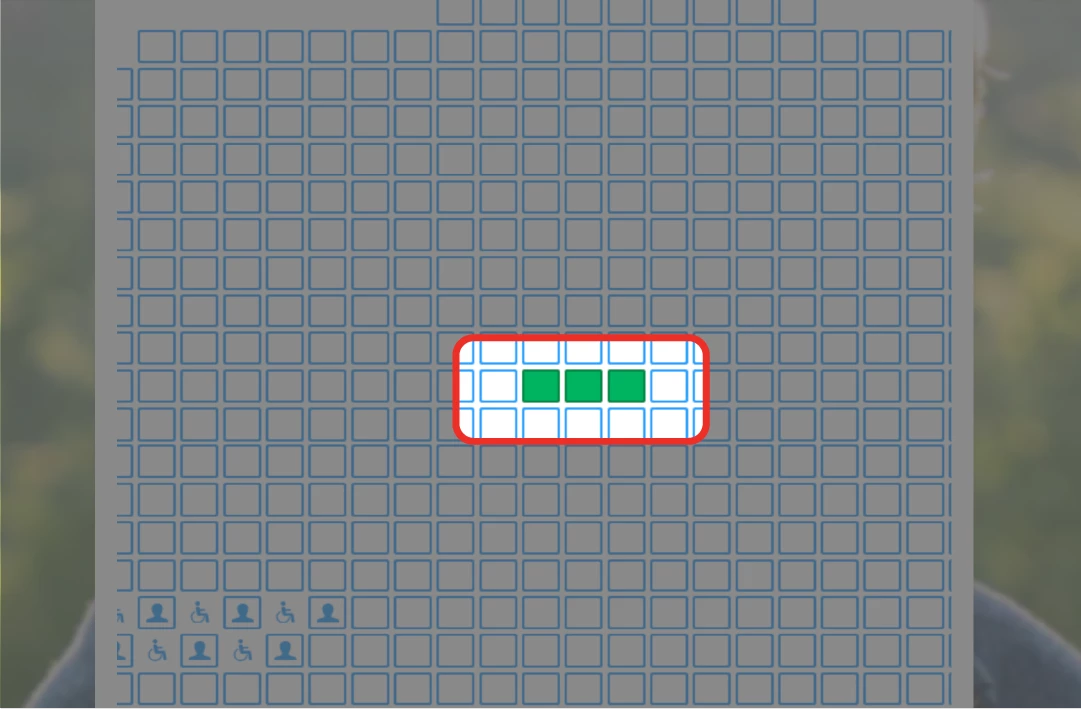
Step 7: Select your seats.
The seat map is often quite large, and may need to scroll across to see all avaliable seats.
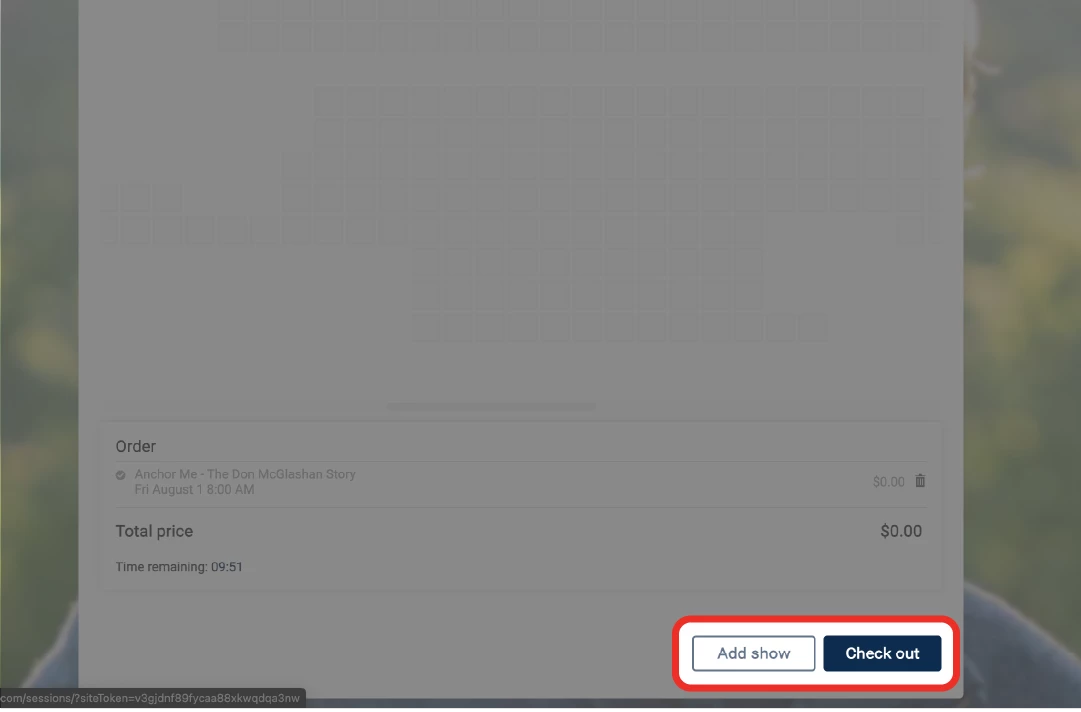
Step 8: Once seats are selected hit ‘check out’.
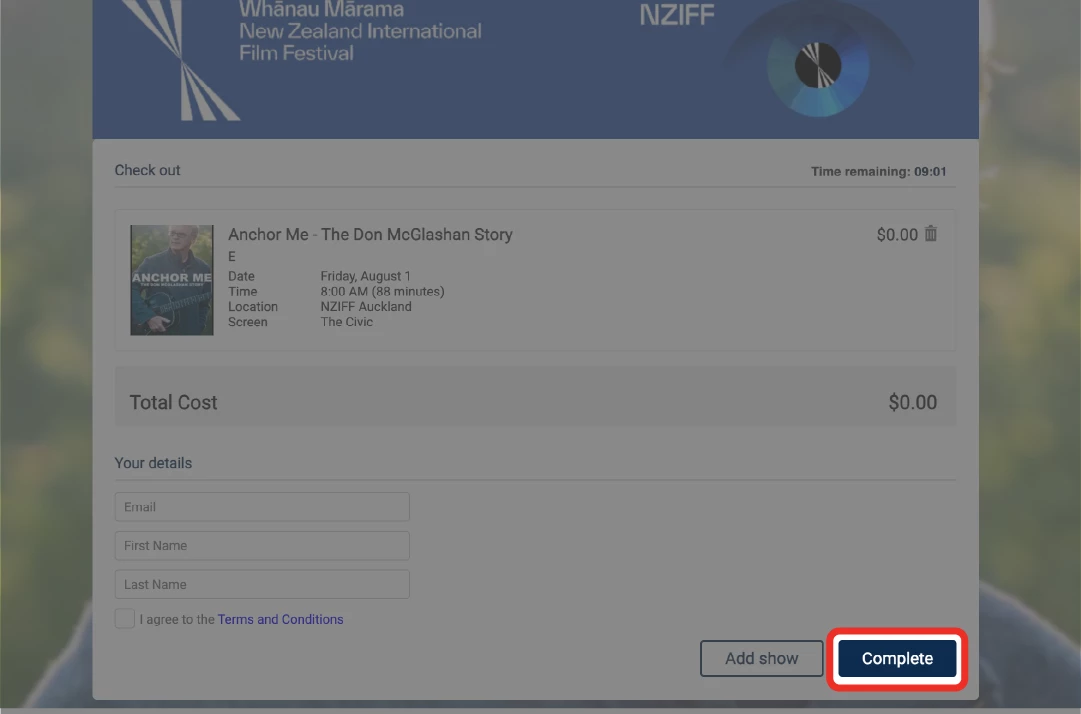
Step 9: Check over your booking and if everything looks sweet, hit ‘Complete’ to lock in your booking.
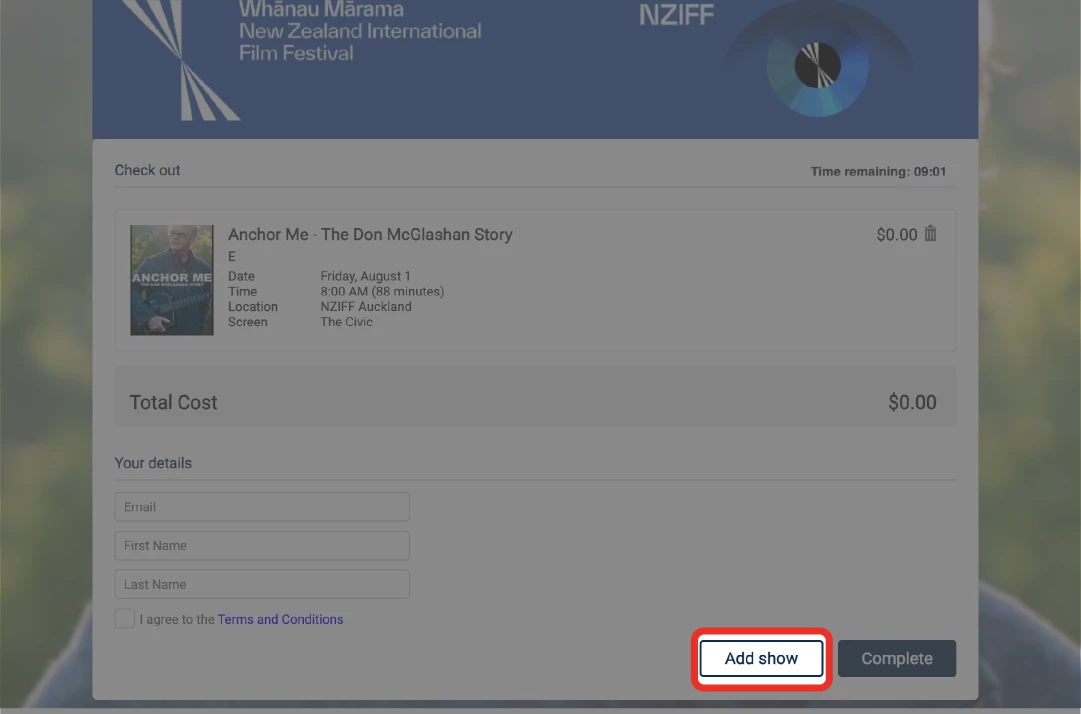
Note: The ‘Add Show’ button will take you to a page listing EVERY screening taking place in your city.
We reccommend booking one film at a time, to avoid an overwhelming list of sessions.


-0-800-0-600-crop.webp?k=c2eb3a9655)